Prisma Art Effect Photo Editor4.6.6.637
Publisher Description


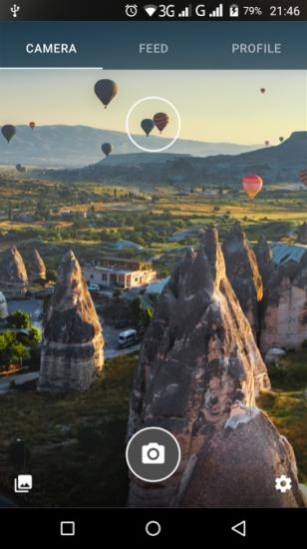
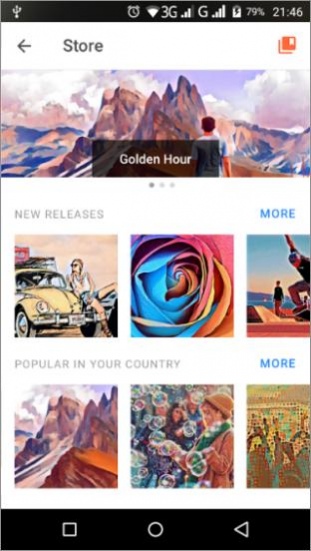
Aesthetic Editor: cool editing photo to picture, make retouch & funny selfie
*** Google Editor’s choice ***
*** 120+ Million users ***
Prisma is a photo editor app that creates amazing photo effects transforming your images into paintings. Using Prisma’s art filters you can make your photo look as if Picasso, Munch, or even Salvador Dali himself painted it for you! Use this amazing photo enhancer to create a unique masterpiece.
HUNDREDS OF STYLES AND ART EFFECTS
You'll find more than 500 filters and effects for pictures in Prisma’s art filter library. Aesthetic photo editor Prisma has the largest collection of different artistic styles including blur, ornament, embroidery, and many more to choose from.
Find your favorite one!
NEW ART FILTER EVERY DAY
Prisma releases a new art filter every single day. Just open the app and you'll be sure to find a new awesome Daily filter! We also release special styles from time to time, so you can use the app as a cartoon photo editor and apply funny effects to make your images even more fun. Don’t miss them either :)
FINE-TUNE YOUR PICTURES
After applying art filters, enhance the results using image enhancement tools. In the photo enhancement mode, you can find a wide range of photo tools like exposure, sharpness, contrast, brightness, etc. There you can retouch and blur photos as well as apply skin editor tools to enhance the original.
Imagine that you’ve got a vintage camera and can take amazing photos of yourself, your friends, and surrounding views. That’s the reality with Prisma, click one button and retouch photos to look like surrealist or pop art paintings. For your little ones, you can use this free picture editor as a cartoon picture app!
Prisma offers multiple features to make your image a piece of art. Blur the image to make it look like an impressionist painter added his touch, apply color effects to increase saturation, upload selfie, and discover beauty photo editor functionalities.
Looking for a cool editing app? Prisma is a great choice! It combines the best features of the picture editor, blemish remover, and photo background changer. No matter if you’d like to simply edit pictures, blur photos or use it as a selfie editor - Prisma has it all!
Join our social media pages to see how others fix photo blur and apply a beauty editor for photos.
Terms of Use http://prisma-ai.com/terms
Privacy Policy http://prisma-ai.com/privacy
About Prisma Art Effect Photo Editor
The company that develops Prisma Art Effect Photo Editor is Prisma Labs, Inc.. The latest version released by its developer is 4.6.6.637. This app was rated by 1 users of our site and has an average rating of 4.0.
To install Prisma Art Effect Photo Editor on your Android device, just click the green Continue To App button above to start the installation process. The app is listed on our website since 2026-08-18 and was downloaded 74 times. We have already checked if the download link is safe, however for your own protection we recommend that you scan the downloaded app with your antivirus. Your antivirus may detect the Prisma Art Effect Photo Editor as malware if the download link to com.neuralprisma is broken.
How to install Prisma Art Effect Photo Editor on your Android device:
- Click on the Continue To App button on our website. This will redirect you to Google Play.
- Once the Prisma Art Effect Photo Editor is shown in the Google Play listing of your Android device, you can start its download and installation. Tap on the Install button located below the search bar and to the right of the app icon.
- A pop-up window with the permissions required by Prisma Art Effect Photo Editor will be shown. Click on Accept to continue the process.
- Prisma Art Effect Photo Editor will be downloaded onto your device, displaying a progress. Once the download completes, the installation will start and you'll get a notification after the installation is finished.
Program Details
System requirements
Download information
Pricing
Version History
version 4.6.6.637
posted on 2026-08-18
NEW IMPROVED PRISMA Our art-AI is getting smarter every day! This update includes some minor changes that will help make your experience with the app even smoother.
P.S. Hey, S22 Ultra owners, this version also fixes a bug with photos coming up blank on this device. Sorry about that!
version 4.3.4.551
posted on 2021-10-04
NEW IMPROVED PRISMA Our art-AI is getting smarter every day! This update includes some minor changes that will help make your experience with the app even smoother.
version 4.3.2.549
posted on 2021-09-22
What’s in this release
The Prisma app has been expansively revamped to level up your photo editing experience. From now on you can enjoy:
. NEW ART FRAMES! Creative frames help to bring out the best in your artwork.
. Major performance improvements along with minor design revisions. This will make your work with Prisma not only qualitative, intuitive, and much faster but also visually pleasing.
version 4.2.5.541
posted on 2021-09-06
Various bug fixes and improvements.
version 4.2.0.481
posted on 2021-05-18
STYLES SEARCH Finding your favourite styles or just exploring our vast library has become much easier: check out the new search box.
version 4.0.0.448
posted on 2020-12-10
. NEW FEATURE: change the background in portraits choosing an image from the app’s gallery or upload a new background from your library
. Minor design improvements: editing buttons are now more intuitive
version
posted on 2018-02-20
— Various bug fixes and stability improvements.
version
posted on 2016-12-30
Bug fixes and improvements to make Prisma faster.,Happy artwork making!
